
Sync your Trackly feed
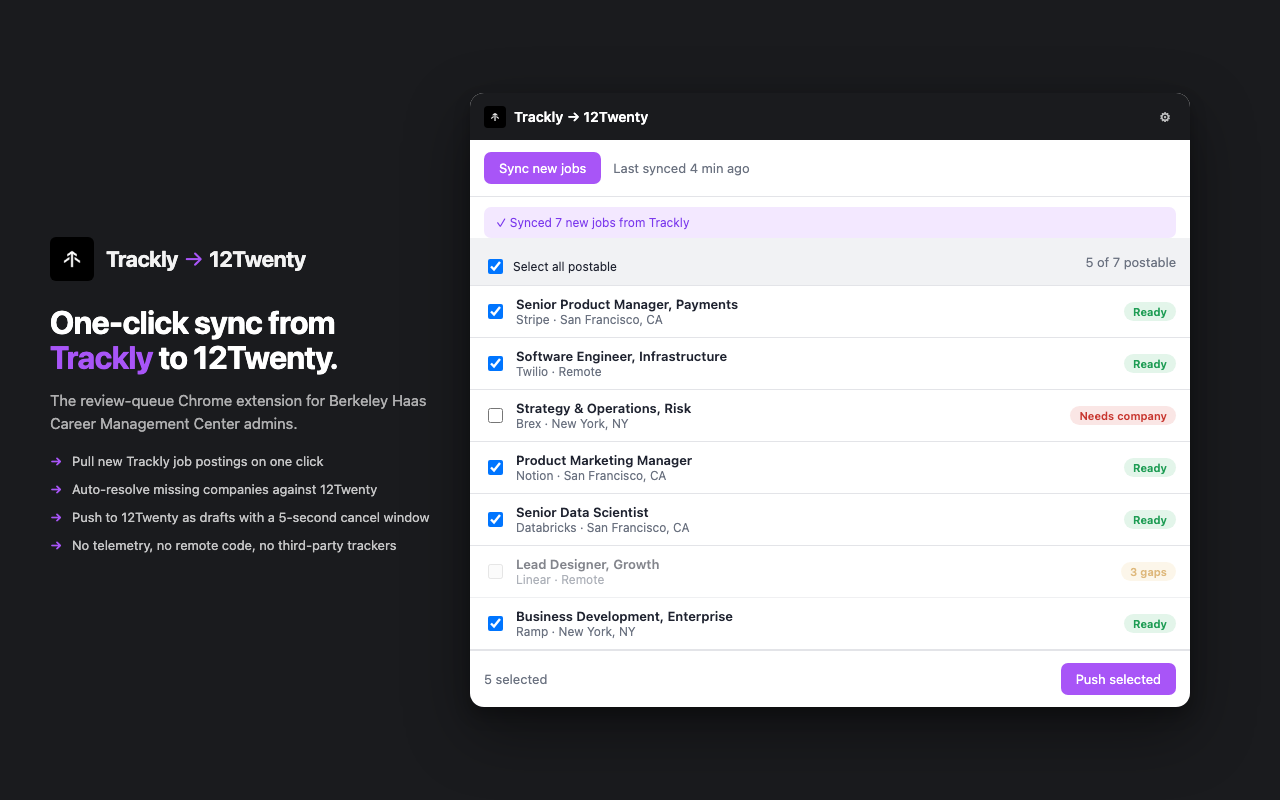
Click Sync new jobs. The extension pulls every new posting from your Trackly account into a clean review queue, one row per job.
What you'll see
- A banner confirms how many new jobs synced.
- Every row is badged Ready, Needs company, or 3 gaps.
- The toolbar shows the last sync timestamp.
Jobs already pushed to 12Twenty are tracked locally. They won't get pushed twice, even if you sync ten times in a row.
Resolve missing employers
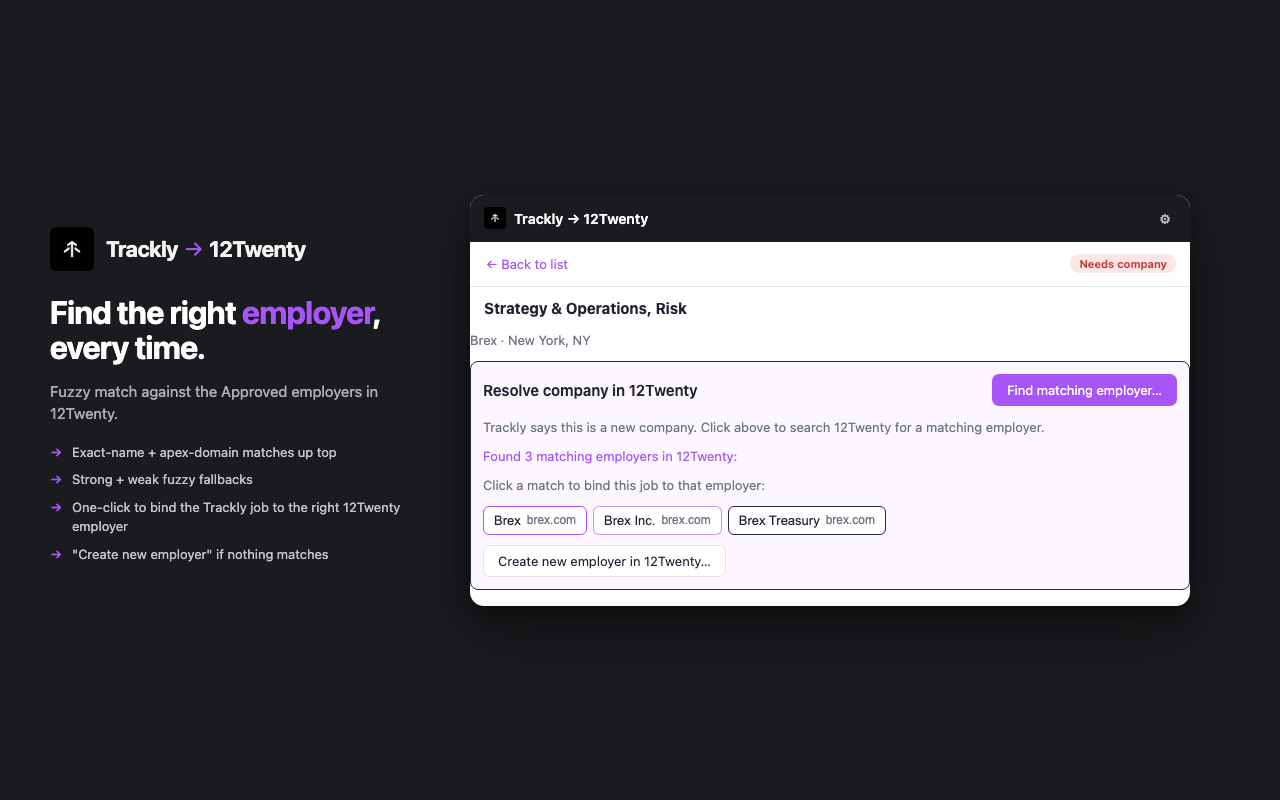
When a Trackly company isn't in your 12Twenty tenant yet, the extension fuzzy matches against your live 12Twenty autocomplete and surfaces ranked candidates.
Three match tiers
- Exact is a perfect match on name and website. Click it without thinking.
- Strong is a near-perfect match, usually a suffix variant like "Brex" vs "Brex Inc." Safe to click.
- Weak is a possible match worth a quick second look before binding.
Click any candidate to bind the Trackly job to that 12Twenty employer. The extension never auto picks. A human always confirms.
12Twenty accepts duplicate Approved employers without complaint. A wrong auto pick creates data debt that's expensive to unwind, so human in the loop stays the default.
Create new employers in one click
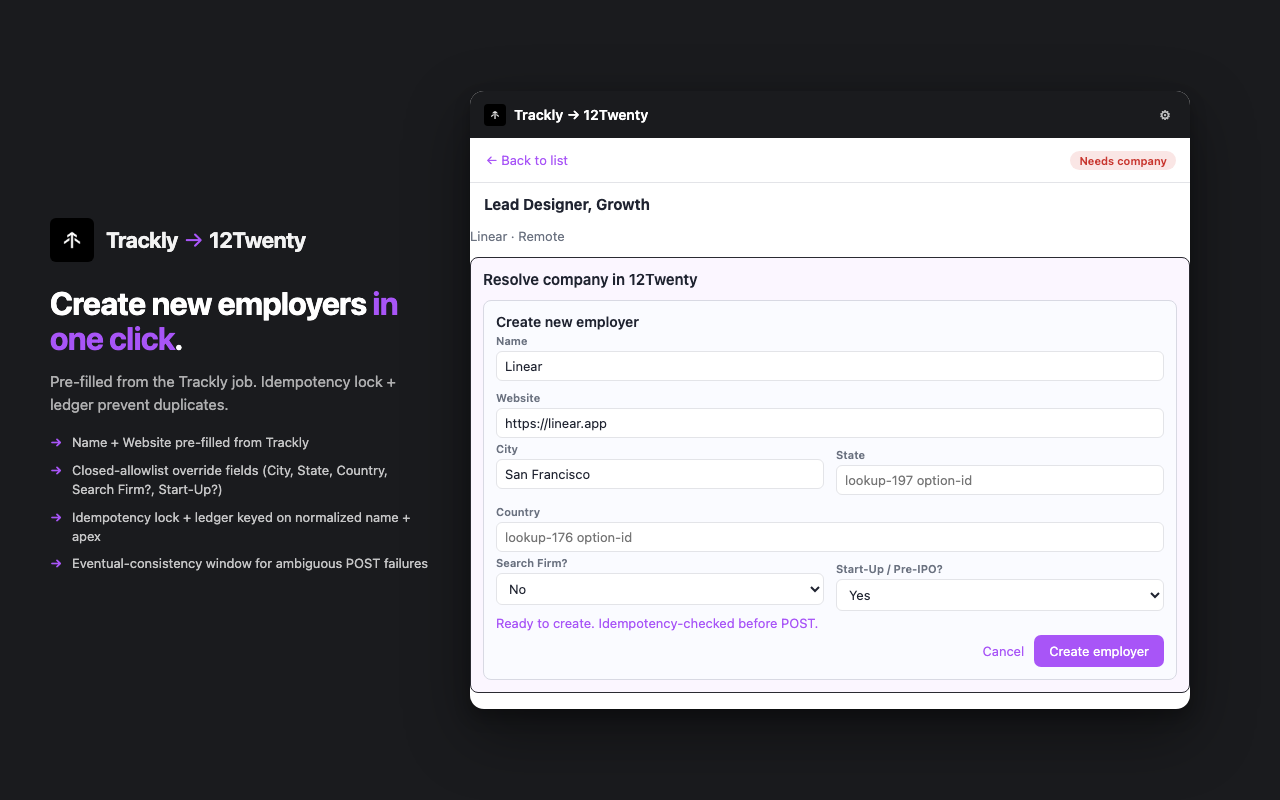
If no match exists, an inline form opens with Name, Website, and your closed allowlist defaults already filled. Confirm and the employer lands in 12Twenty as Approved.
Fields the form covers
- Name and Website arrive pre filled from Trackly.
- City, State, Country use Trackly values when present, dropdowns otherwise.
- Search Firm and Start Up Pre IPO use the defaults you set once in Setup.
No duplicates, by design
Right before the create call goes out, the extension checks whether you (or another tab) already created this same employer in the current session. If so, it uses the existing one instead of making a duplicate. You won't end up with two Linears in 12Twenty.
If the network blips or 12Twenty takes a moment to confirm, the extension waits a beat, looks again, and only then retries. Click Create twice and nothing bad happens.
Push to 12Twenty as drafts
Select the jobs you want, click Push selected, and a 5 second cancel toast appears. Wait and they land in 12Twenty as drafts. Cancel and nothing fires.
The 5 second window
- Click Push selected.
- A toast appears, "Pushing in 5, Cancel".
- Click Cancel or close the popup, nothing is sent.
- Wait 5 seconds. The extension creates the postings in 12Twenty, then double-checks each one is saved as a hidden draft (not student-facing).
- Both confirmed, the row badge flips to Posted.
Every posting lands as a draft so you can review the rendered 12Twenty card before students see it. The extension never publishes a posting directly. That final click stays in your hands inside 12Twenty.
Set it up once, then forget it
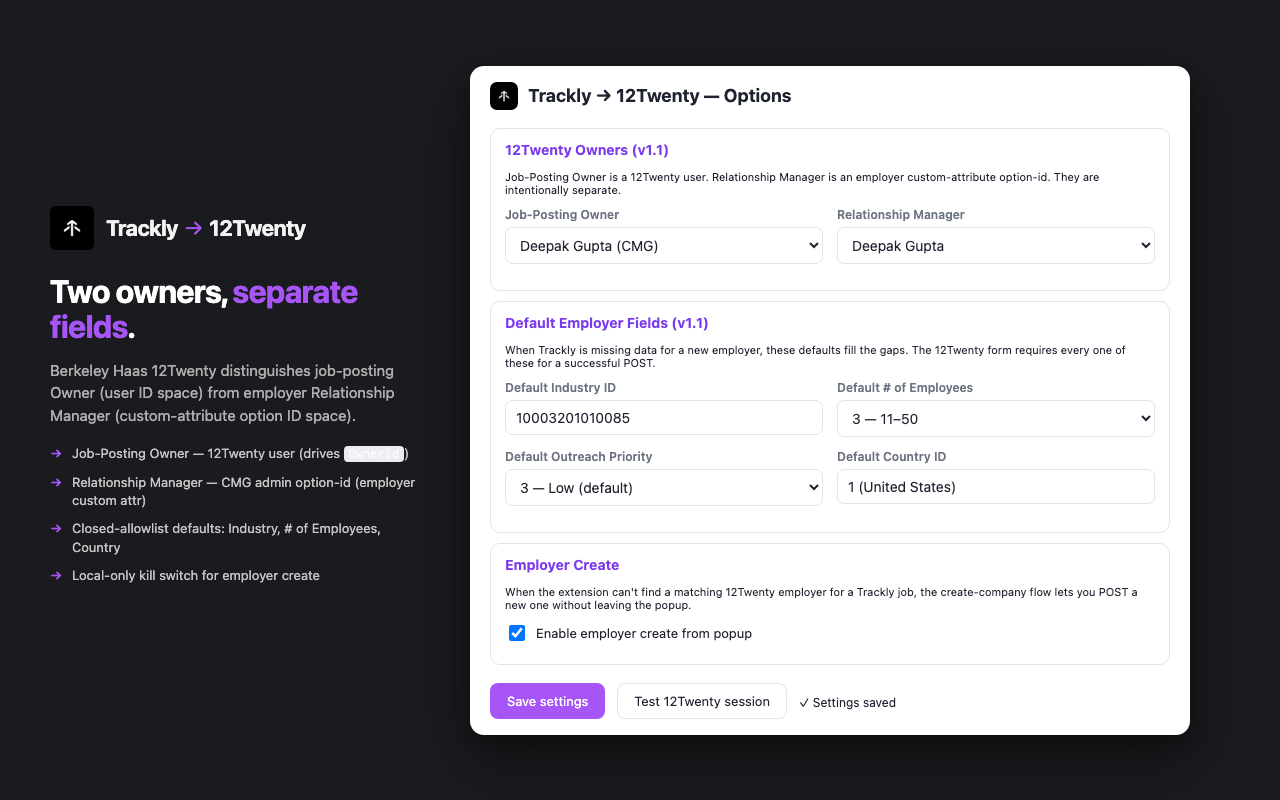
Open Setup, paste your Trackly API key, pick your 12Twenty Job Posting Owner and Relationship Manager, then set defaults for new employer creation. After that, your daily flow is just steps 1 through 4.
Two owners, on purpose
Berkeley Haas's 12Twenty tracks two different "owner" fields, and they don't have to be the same person:
- Job Posting Owner is who owns the job inside 12Twenty (you, usually).
- Relationship Manager is the CMG admin who manages the employer relationship.
Pick yourself for both unless your team splits these roles deliberately.
Default employer fields
Set sensible defaults for new employer creation so you don't re pick the same values on every push. Industry, number of employees, outreach priority, country.
Toggle Enable employer create from popup off and the extension goes read only. It matches existing employers but never creates new ones.
Frequently asked questions
What happens if I close the popup mid push?
Nothing is sent. The 5 second cancel countdown lives inside the popup itself, so closing the popup (or clicking Cancel) stops it cold. By design. The window stays where you can see it.
Does the extension see student data?
No. The extension only reads and writes employer records and job postings inside the Berkeley Haas 12Twenty workspace. It has no permission to see, store, or transmit any student data. The only two websites it can reach are Trackly itself and your Berkeley Haas 12Twenty admin site. Nothing else.
Can two admins push the same Trackly job at the same time?
Today, no. The "already posted" memory lives on each admin's computer, so if Tracy and Deepak both sync at the same minute, they could each see the same job. The next release adds a shared, server-side record so this can't happen.
Where does my Trackly API key live?
On your computer only, inside Chrome's local storage. The extension never sends it anywhere except to Trackly itself, and there is no account or profile attached to it on our side. Uninstalling the extension wipes everything it stored locally.
What if a push to 12Twenty times out or errors?
The extension treats unclear failures (slow network, partial response) as still-in-progress, not failed. It waits a couple of seconds, checks the latest list of postings, and only then decides whether to retry. You won't see a duplicate post because the network blipped.
Can I undo a draft I pushed by mistake?
Open the posting in 12Twenty's admin view and delete it there. The extension deliberately doesn't ship a delete button. The 5 second cancel toast is the undo, and once a draft is in 12Twenty, it stays in your hands.
Why isn't this on the Chrome Web Store yet?
It is. The Web Store listing is under review, which typically clears in 24 to 72 hours. In the meantime you can install it manually from the zip file. Once Google approves the listing, Chrome will offer to switch you over in one click. No reconfiguration needed.